tutorials
How to Supply Liquidity for DLANCE
Sun Aug 13 2023
Providing DLANCE Liquidity
STEP 1: Go to UNISWAP V2 WEBSITE and Connect Your Wallet
Note: Make sure you are on "Ethereum Mainnet"
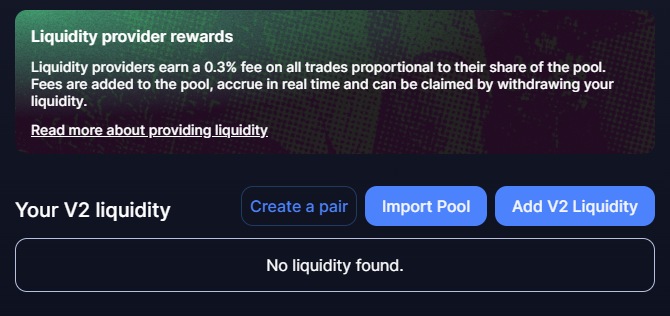
STEP 2: Click on the "Add V2 Liquidity/Join a pool" button.
STEP 3: Select the Pool
Search for the DLANCE/ETH liquidity pool by pasting the smart contract address for DLANCE into the search bar.
DLANCE Smart Contract Address: Copy Contract Address From Website
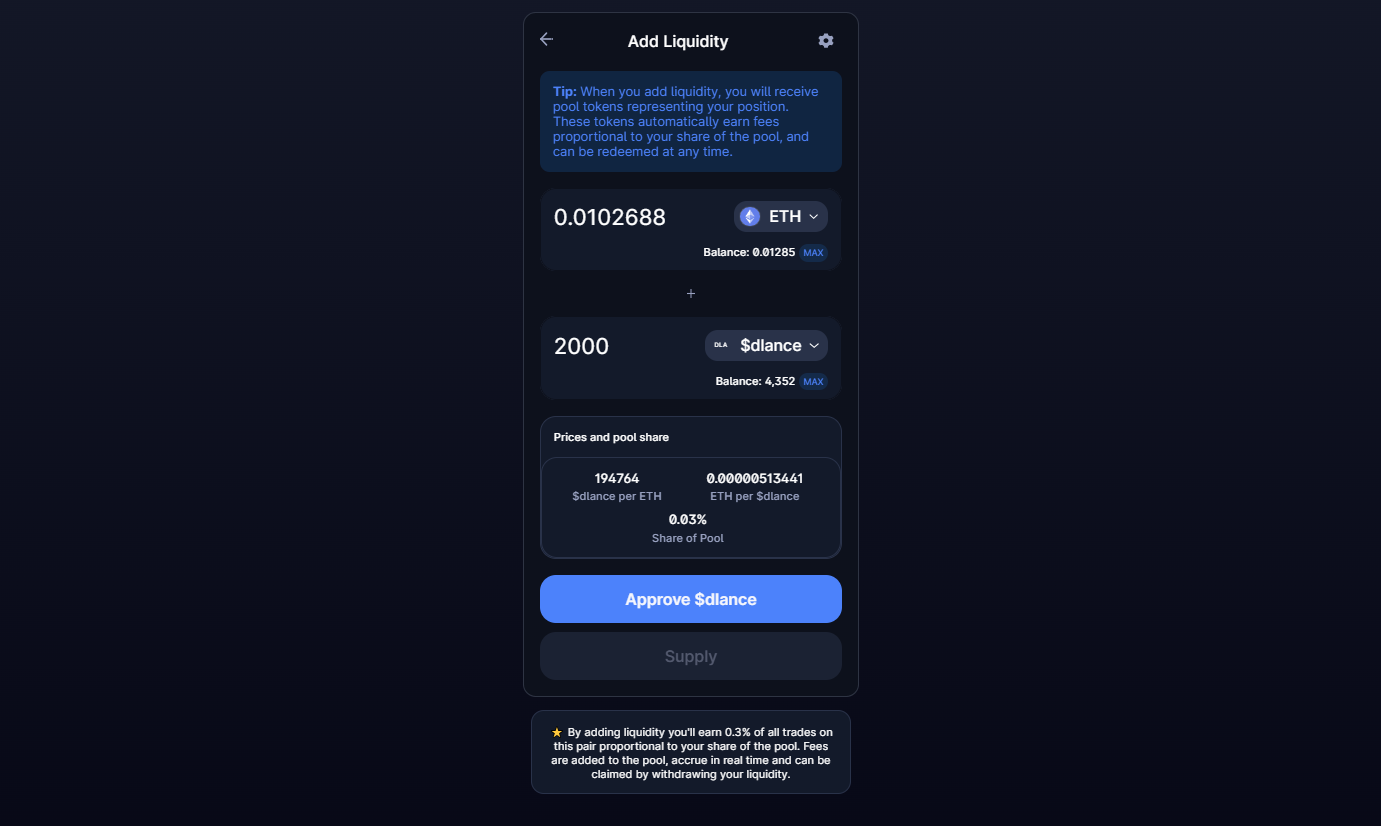
STEP 4: Add Liquidity Enter the amount of ETH you want to add to the liquidity pool. Uniswap will automatically fill the $DLANCE input box with an equivalent amount.
You will need to Approve tokens and after that you can click on supply to add liquidity.
Once the transaction is confirmed, you are now a liquidity provider, allowing you to earn a liquidity fee for every transaction in the DLANCE/WETH market.
By providing liquidity, you play an essential role in the decentralized finance ecosystem and contribute to the growth and efficiency of the market. Keep an eye on your liquidity pool and enjoy earning fees for your contributions!